


Riding AI #3 Leverage AI to Generate Relevant Dummy Data
// Not long ago, I tried using AI to populate dummy data for my design. It not only helps me focus on the design but also enhances technical discussions with engineers. Real, context-specific content is helpful for collecting user feedback, as it is easier to relate to.
Unlike traditional dummy data, which often lack depth and variability, I’ve found that AI-generated data is much more dynamic and adaptable to different design and testing needs. For instance, It can create user profiles, transaction histories, and behavior patterns for product designers, helping us designers test responsiveness and functionality in a more realistic environment. Additionally, AI-generated data has saved me so much time with best guesses, freeing me up to focus on the creative and strategic parts of my work. Manually creating dummy data can be time-consuming and error-prone, especially when multiple people need to collaborate to ensure the design tells the right story—this is always the most time-consuming part of my design workflow particularly designing for an important event, such as a conference. With AI, accurate datasets can be generated quickly, enabling faster iterations and improvements. This streamlines projects and increases the likelihood that final designs meet goals and user expectations.
For me, choosing the right AI tools has been key to generating realistic and useful dummy data. Faker generates realistic data and integrates with various design software. It is ideal for web development, graphic design, and data visualization, helping to bring projects to life.
If you’re comfortable using tools like Gemini or ChatGPT, a well-crafted prompt can go a long way. Here, I’ll use Gemini to demonstrate how I created a data table for a previous project.
Using Gemini for Dummy Data
Previously, I needed to create a screen for all tools that our AI agents could use. While engineers were working on the backend, I wanted a head start in understanding this, so I turned to Gemini.
Following up on my previous discussion about AI Agents and Tools (See my LinkedIn Post), I asked Gemini to generate a list of common tools for AI agents.
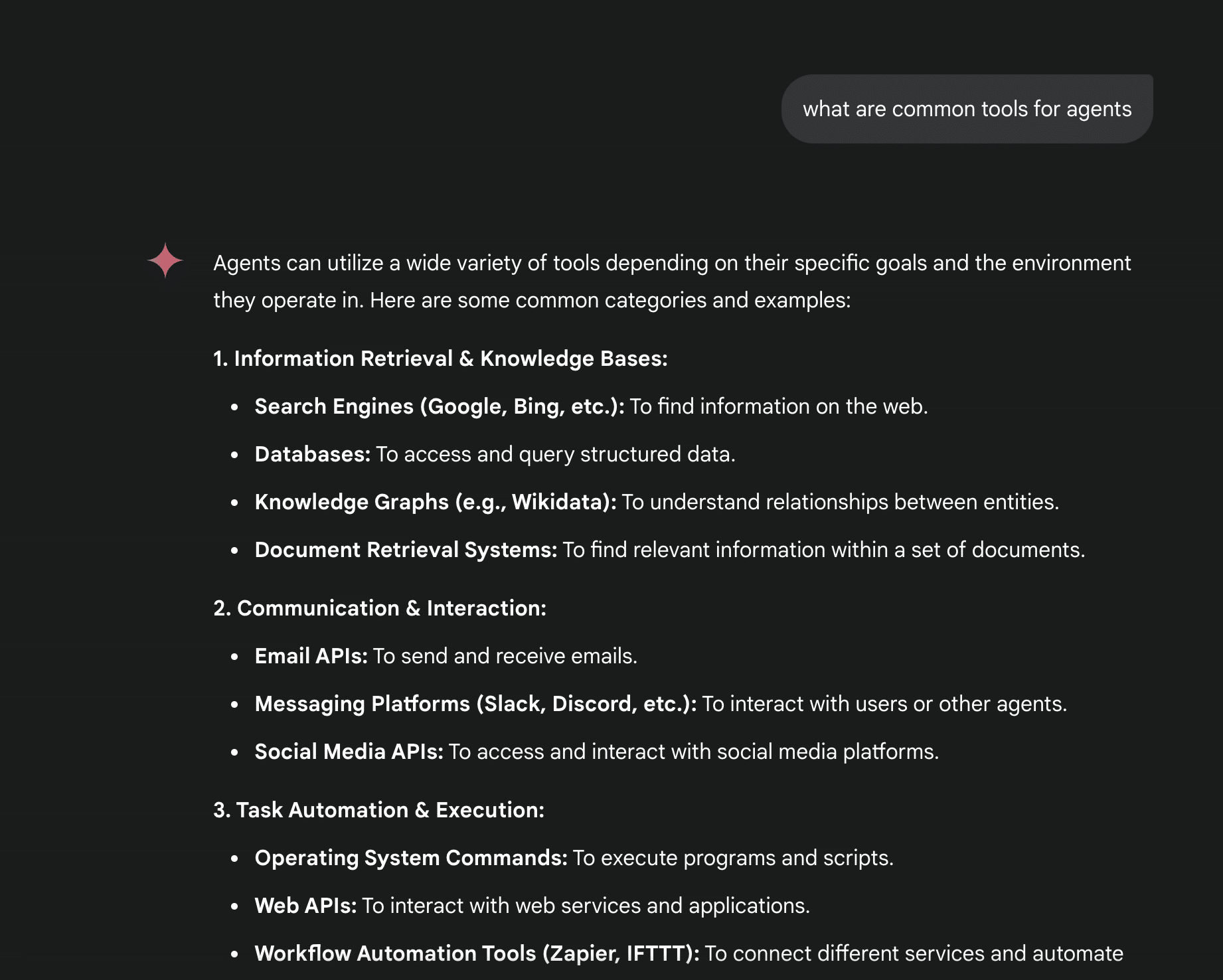
➔ Can you list the tools in a table?
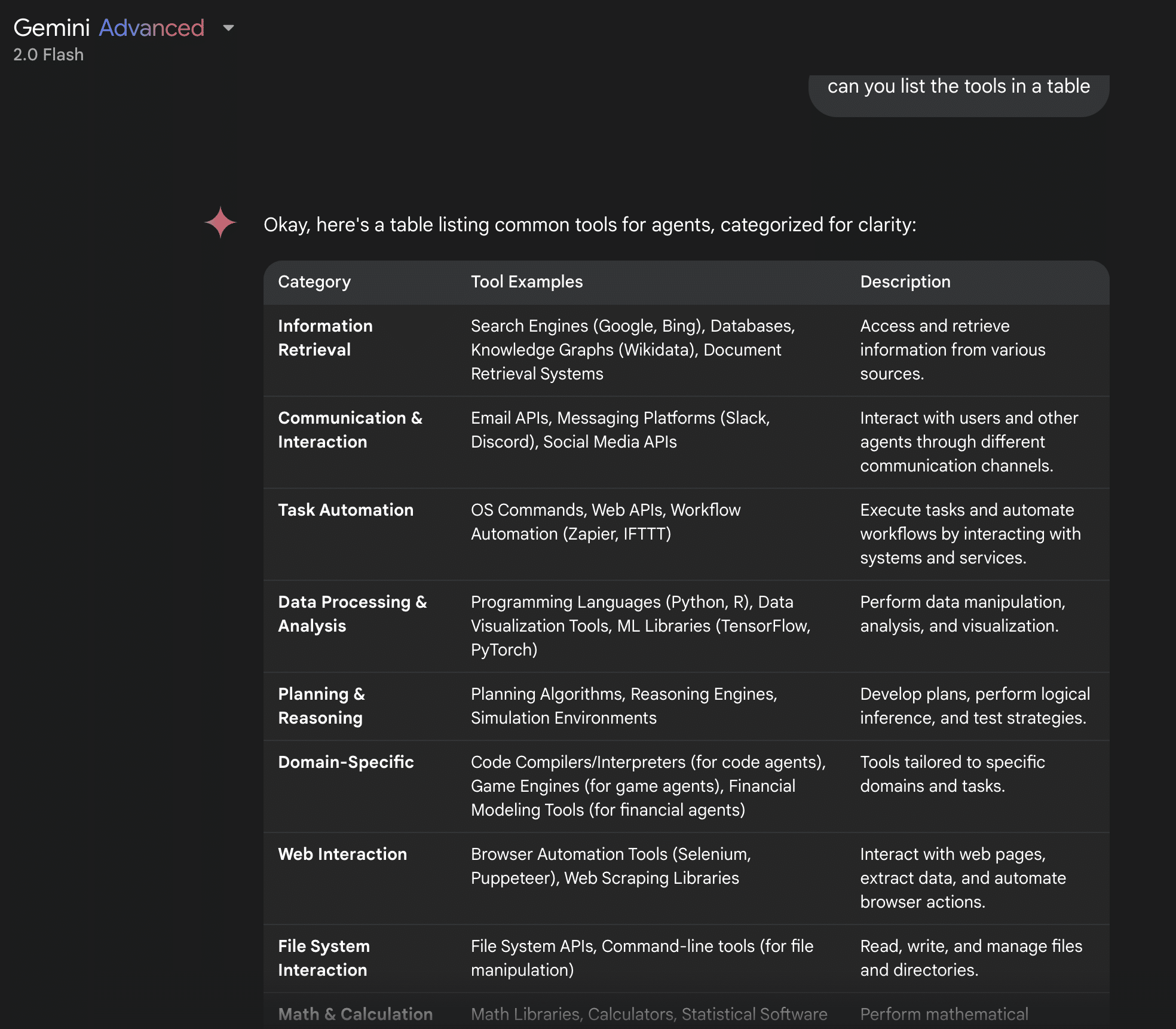
➔ Can you break down the tool examples into their own rows?
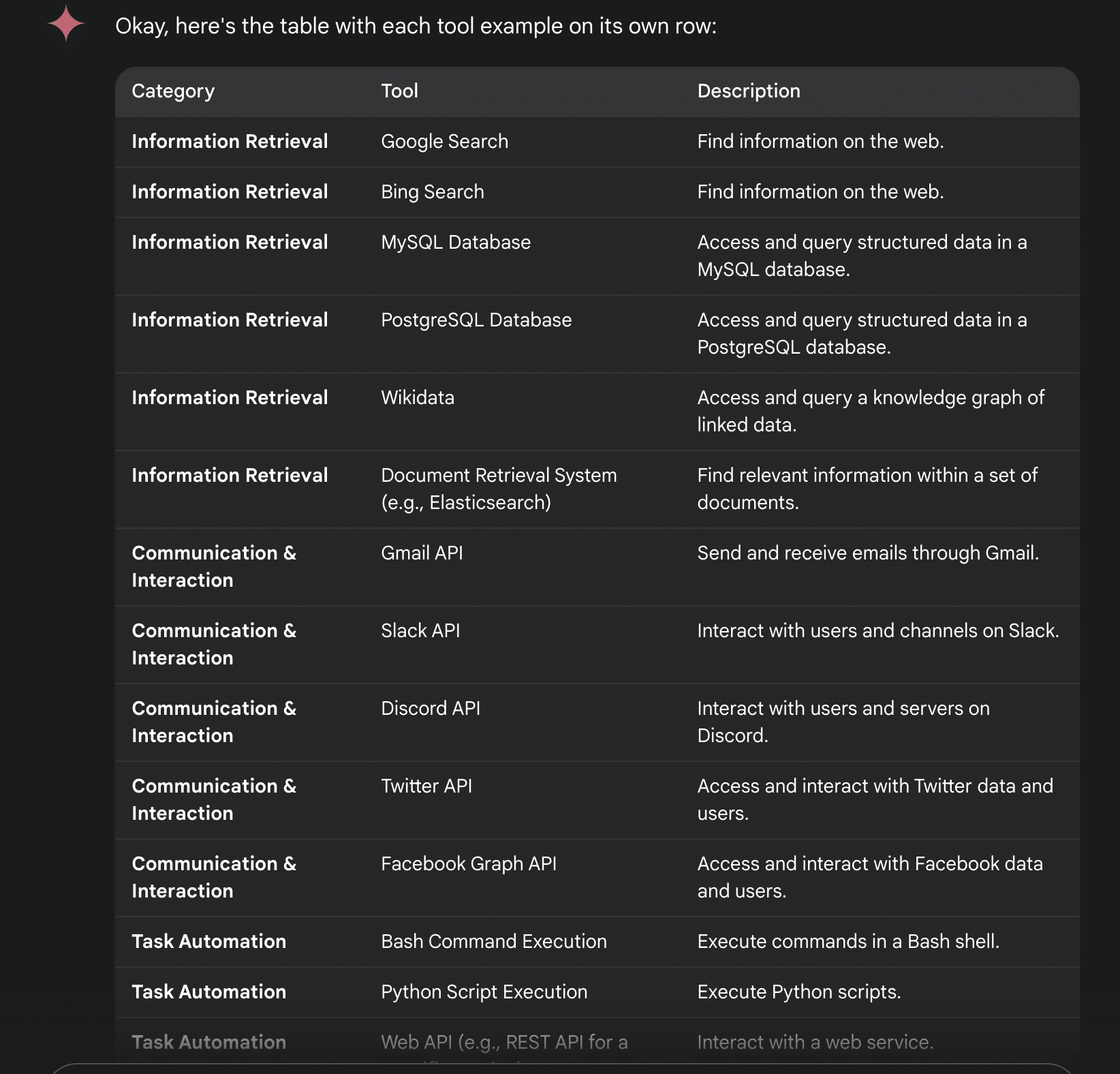
Now I have a well-structured list of AI tools in a spreadsheet format. I downloaded and shared it with the PM and engineers to ensure it made sense for our purpose. Then, I imported the list via the Figma Google Sheet Sync. Voila!
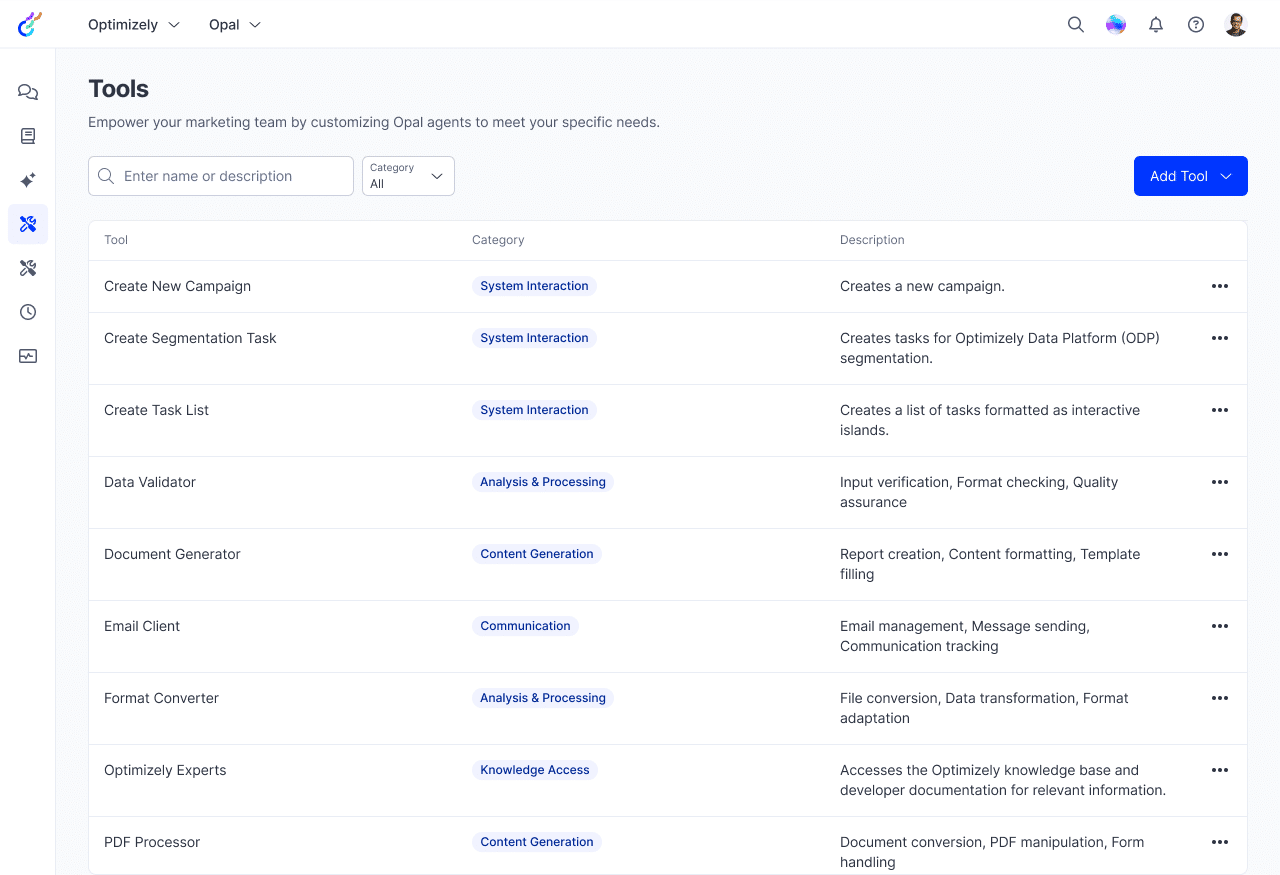
Update on Mar 31, 2025
Got access to Figma AI recently, so I decided to try the same data table with Figma to compare the results. In short, I’d suggest to give Figma more context on what type of data you are looking for to get more relevant output. It’s the most convenient approach if you don’t mind the actual details. See the gif below.
/// What I love most about AI-generated data is how it can simulate real-world scenarios. By testing designs with data that mimics actual user behaviors and interactions, we can identify potential usability issues and functional gaps before the project goes live. When dummy data is too “dummy,” users have to “imagine” how it might work for them, making it harder for them to react quickly and accurately. A proactive approach improves user experience and saves time and resources by catching issues early in development.
Whether using AI-generated data or not, user validation is always crucial. The feedback loop is invaluable for refining designs and ensuring they meet user needs and expectations. By combining AI’s precision with human feedback, we can create designs that are both innovative and user-centric.
Finally, keep in mind that it’s best to limit AI-generated data to non-critical areas of my design projects. AI is a great tool, but it’s essential to maintain control over key aspects to protect important company information.
Integrating these practices helps maximize AI dummy data for functional, user-friendly, and innovative designs.

